Best IPTV Players in 2026: In-Depth Comparison for Firestick, Android TV, Apple TV & Smart TVs
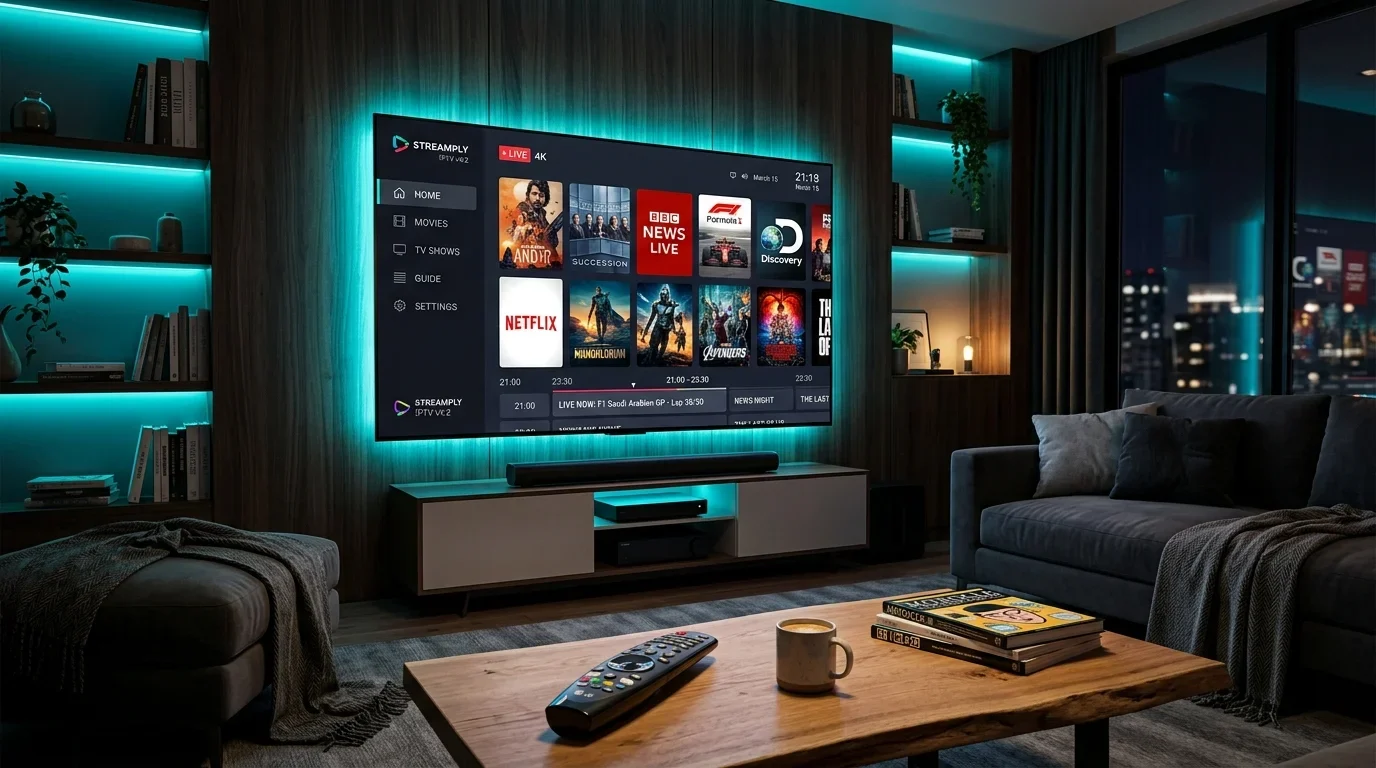
An IPTV subscription is only as good as the software application you use to navigate, decode, and render it. Even if your provider supplies pristine, uncompressed 4K streams backed by enterprise 40 Gbps content delivery networks, a poorly coded media player will introduce video stutter, drop frames during fast-moving sports, fail to sync your Electronic Program Guide (EPG), and crash when loading multi-thousand channel playlists.
The IPTV application serves as the command center for your entire television experience. It handles audio/video stream demuxing, communicates with your device's hardware graphics processing unit (GPU) for video decoding, manages time-sensitive network data caching, renders the on-screen graphical user interface (GUI), and executes automated recording tasks.
With dozens of IPTV players competing across Google Play, the Amazon Appstore, the Apple App Store, and Smart TV operating systems, determining which app best fits your specific hardware and viewing habits is essential. In this exhaustive 2026 technical guide, we evaluate the industry's top IPTV player applications—comparing interface design, codec compatibility, zapping performance, multi-screen functionality, and stability—while detailing the exact configuration tweaks needed to unlock flawless playback.
Best IPTV players comparison 2026
1. Technical Anatomy of an IPTV Player: How Media Engines Operate
Before diving into individual software evaluations, understanding what an IPTV player does under the hood will help you diagnose configuration problems, choose the right video decoders, and eliminate buffering.
An IPTV player is fundamentally distinct from standard video playback apps like YouTube or Netflix. In on-demand apps, video files are pre-indexed with fixed lengths, allowing the software to aggressively pre-download minutes of upcoming footage. In contrast, an IPTV player processing a live television broadcast must execute a complex real-time computational pipeline:
Step 1: Transport Stream Demuxing
When you select a live channel, the player connects to the streaming server via HTTP, HTTPS, or UDP. It ingests an incoming MPEG-TS or HLS data stream. The demuxer dissects the combined multiplexed container into isolated data tracks:
- The elementary video stream (e.g., H.264, H.265/HEVC, or AV1)
- The elementary audio stream (e.g., AAC, MP3, Dolby Digital AC-3, or Dolby Digital Plus E-AC-3)
- The metadata stream (closed captions, DVB subtitles, teletext, and stream timestamp syncs)
Step 2: Buffer Allocation and Jitter Caching
Because broadband packet arrival times fluctuate (a phenomenon known as network jitter), the player holds a microscopic cache of video frames in your device's volatile memory (RAM).
- If this buffer is set too small (e.g., 0ms), even a temporary microsecond drop in packet arrival causes the video frame to stall or tear.
- If the buffer is set too large (e.g., 10 seconds), channel zapping becomes uncomfortably sluggish, and your broadcast runs significantly behind real-time action, risking score spoilers during live sports.
Step 3: Hardware (HW) vs. Software (SW) Video Decoding
Once demuxed, raw compressed video packets must be decoded into raw RGB/YUV pixel frames:
- Hardware Decoding (HW / HW+): The player commands the operating system to route video decompression directly to the hardware video processing unit inside your chipset (e.g., the MediaTek chipset in a Fire TV Stick, the Tegra X1 in an NVIDIA Shield, or the A15 Bionic in an Apple TV 4K). Hardware decoding is lightning-fast, handles high-bitrate 60fps 4K with ease, generates minimal device heat, and consumes almost zero CPU resources.
- Software Decoding (SW): If the hardware decoder does not support a specific stream format (such as an obscure audio codec or non-standard container), the player falls back to software rendering using the general-purpose CPU. Software decoding heavily strains low-powered processors, leading to frame drops, thermal throttling, and battery drain on mobile devices.
Step 4: Video Sync, Audio Resampling, and Display Presentation
Finally, the player aligns audio timestamps (Presentation Time Stamps - PTS) with video frames to eliminate lip-sync drift, upscales or downsamples the image to fit your display resolution, and presents the frame to your television panel at the appropriate screen refresh rate (60Hz, 50Hz, or 24Hz).
Understanding these mechanics makes it clear why pairing a world-class IPTV provider like Digitaline IPTV with an expertly tuned player is the key to unlocking cable-grade television performance.
2. In-Depth Evaluation of the Top IPTV Players in 2026
 IPTV player comparison and performance metrics
1. TiviMate IPTV Player: The Undisputed King for Android TV & Firestick
For users operating modern Android TV, Google TV, or Amazon Firestick hardware, TiviMate IPTV Player (developed by Armobsoft FZE) represents the pinnacle of IPTV software engineering. Designed from the ground up specifically for large-screen television displays controlled by physical remote controls, TiviMate delivers an interface so polished, responsive, and visually modern that it surpasses the proprietary guide interfaces of traditional satellite and cable operators.
+-----------------------------------------------------------------------+
|                       TIVIMATE SPECIFICATIONS                         |
+--------------------------+--------------------------------------------+
| Developer                | Armobsoft FZE                              |
| Target Platforms         | Android TV, Google TV, Fire OS             |
| UI Design Philosophy     | Native TV Guide / Cable Box Grid           |
| Primary Protocol Support | Xtream Codes API, M3U Playlist, Stalker    |
| Internal Media Engine    | Google ExoPlayer (HW / HW+ / SW)           |
| Audio Passthrough        | Stereo, Dolby Digital AC-3, EAC-3, DTS     |
| Multi-Screen Support     | Up to 9 simultaneous live channels         |
| EPG Capability           | Multi-source XMLTV with auto-time shift    |
| Recording Functionality  | Yes (Local Storage, USB, SMB/NAS Network)  |
| License Model            | Free basic / Premium Subscription/Lifetime |
+--------------------------+--------------------------------------------+
Key Architectural Strengths:
- Unrivaled Television Guide (EPG): TiviMate's EPG is exceptionally fast. It renders smooth animations when scrolling through thousands of channels, caches guide data locally for instant access, and supports assigning multiple backup EPG sources to individual channels where primary metadata is missing.
- Multi-View (Multi-Screen) Capability: TiviMate allows you to watch up to 9 live streams simultaneously on a single screen. This feature is a game-changer for sports enthusiasts during Saturday afternoons or tournament finals. You can toggle audio focus seamlessly between screens with a single click of your remote's directional pad.
- Advanced DVR & Automated Recording: You can schedule live recordings in advance using the EPG timeline, record recurring programs, or trigger instant recordings. TiviMate can save recordings directly to an external USB flash drive or a networked hard drive via SMB (Server Message Block).
- Custom Grouping and Channel Management: Users can hide unwanted international categories, reorder channel positions, create custom multi-category Favorites groups, and rename channels directly from the couch.
- Catch-Up TV Integration: If your subscription includes catch-up services, TiviMate displays a distinct clock icon next to aired programs in the guide. Pressing left on your remote navigates back in time, allowing you to instantly play recorded broadcasts without leaving the main interface.
Limitations:
- Strictly built for television operating systems. There is no native touchscreen version for Android smartphones, tablets, or iOS devices.
- The premium tier requires an annual license or one-time lifetime purchase via the TiviMate Companion app on Google Play.
2. IPTV Smarters Pro: The Cross-Platform Swiss Army Knife
IPTV Smarters Pro (developed by WHMCS Smarters) is arguably the most widely recognized IPTV application in the world. Its widespread popularity stems from its unmatched cross-platform availability. Whether you are using an Android TV, Amazon Firestick, iPhone, iPad, Mac desktop, Windows PC, or LG/Samsung Smart TV, IPTV Smarters provides a consistent, familiar experience.
Key Architectural Strengths:
- Universal Ecosystem Availability: You can use the identical app across every piece of hardware in your household, simplifying the learning curve for family members.
- Xtream Codes API Native Optimization: IPTV Smarters was one of the earliest players to fully embrace the Xtream Codes API architecture. It neatly segregates content into three distinct, dedicated hubs: Live TV, Movies (VOD), and Series.
- Master Search Functionality: The global search engine scours live channel names, movie titles, and series episodes simultaneously, allowing you to locate content across a massive 20,000-channel database in seconds.
- Built-in Speed Test & Parental Controls: Smarters incorporates a built-in internet connection test tool and robust parental locks that allow parents to password-protect specific adult or sensitive categories.
- Multi-User Profile Management: Households with multiple users can configure separate login profiles under a single installation, keeping viewing preferences and favorites neatly separated.
Limitations:
- The user interface, while functional, feels more utilitarian and mobile-centric compared to the cinematic, broadcast-grade guide layout of TiviMate.
- Ingesting massive M3U playlists can cause intermittent sluggishness on budget devices like the 1st Gen Fire TV Stick Lite compared to lighter players.
3. XCIPTV Player: Streamlined Media Layout and Dual-Engine Flexibility
XCIPTV Player (by OTTRUN) has garnered an immense following due to its clean, modern dashboard design and exceptional video engine flexibility. Unlike apps that box you into a single playback library, XCIPTV allows users to toggle between two completely independent media engines: Google ExoPlayer and VLC Engine.
Key Architectural Strengths:
- Dual Internal Player Engines: If a specific channel suffers from audio sync issues or fails to render under ExoPlayer, you can switch the channel or the entire app to the VLC Engine with two clicks. VLC's extensive built-in software codec library resolves almost any playback incompatibility.
- Modern Dashboard UI: Rather than defaulting straight into a full-screen channel grid, XCIPTV greets users with an attractive, modern dashboard highlighting recent channels, newly added VOD releases, and quick-launch shortcuts.
- Integrated VOD Player with Subtitle Sync: XCIPTV delivers an outstanding Video on Demand viewing experience. Its internal media player features custom subtitle offset adjustment, multi-audio track selection, resume playback memory, and episode auto-play for binge-watching TV series.
- Built-In Player Backup/Restore: Users can export their complete app configuration, channel favorites, and custom category arrangements to local storage or cloud backups, making device upgrades effortless.
Limitations:
- EPG timeline navigation can feel slightly less responsive than TiviMate when scrolling through dense channel lists with hundreds of active items.
- Occasional banner advertisements appear in the free tier, though these can be eliminated in the premium ad-free release.
4. IBO Player & Smart ONE IPTV: The Champions for Samsung Tizen & LG webOS
For millions of cord-cutters, adding an external HDMI streaming stick to their television is undesirable. They prefer utilizing the native operating system built into their smart television: Samsung Tizen OS or LG webOS.
Smart TV operating systems present unique technical constraints: they possess strictly limited onboard RAM (often 1GB to 1.5GB total, shared with the system OS) and slower dual-core or quad-core processors. Running heavy, resource-intensive Android-ported apps will cause smart TVs to crash.
This is where lightweight, web-optimized applications like IBO Player and Smart ONE IPTV excel.
+-----------------------------------------------------------------------+
|                     SMART TV PLAYERS (TIZEN / WEBOS)                  |
+--------------------------+--------------------------------------------+
| App Name                 | IBO Player / Smart ONE IPTV                |
| Primary Platforms        | Samsung Smart TV (Tizen), LG TV (webOS)    |
| Web Architecture         | Lightweight HTML5 / WebGL Client           |
| Memory Footprint         | Minimal (< 120MB active RAM)               |
| Playlist Provisioning    | Remote Cloud Web Portal via MAC & Key      |
| Video Engine             | Native WebOS / Tizen AVPlayer              |
| 4K / 60FPS Playback      | Hardware Accelerated (TV Panel Native)     |
| Trial Period             | 7-Day Free Trial (One-Time Activation Fee) |
+--------------------------+--------------------------------------------+
How Cloud-Provisioned Smart TV Players Work:
Instead of requiring tedious typing of 80-character M3U playlist URLs or complex passwords using an awkward TV remote control, these apps utilize a Remote Device Provisioning Portal:
- When you launch IBO Player or Smart ONE IPTV on your Samsung or LG TV, the screen displays your unique Device MAC Address and a Device Key.
- From your smartphone, tablet, or PC browser, you visit the player's official management website (e.g., `iboplayer.com/manage`).
- You enter your TV's MAC Address and Key, paste your Digitaline IPTV Xtream Codes credentials, and click Save.
- Return to your television and click "Reload." The app instantly synchronizes your complete channel lineup directly from the cloud without typing a single letter on the television screen!
Architectural Strengths:
- Zero Hardware Clutter: Operates entirely within your TV's native software environment; your existing TV remote controls power, volume, channel numbers, and guide navigation natively.
- Optimized Hardware Decoding: Leverages the Smart TV panel's onboard video processor directly, ensuring vibrant HDR10 and Dolby Vision rendering on compatible 4K displays.
5. iPlayTV & UHF: The Elite Solutions for Apple TV (tvOS)
The Apple TV 4K (powered by Apple's A15 Bionic processor) is the most powerful consumer streaming hardware on the planet. Its raw compute and graphics processing power dwarfing standard streaming sticks allows developers to build fluid, high-framerate user interfaces.
For Apple TV users, iPlayTV and UHF represent the gold standard of IPTV streaming.
Why iPlayTV Leads on tvOS:
- Silky Smooth 60fps Interface Navigation: Scrolling through thousands of channels on iPlayTV is rendered at a locked 60 frames per second with zero UI hitching or stutter.
- Apple Ecosystem Cloud Sync: If you configure playlists, favorites, and custom channel ordering on your Apple TV, the app can synchronize your settings automatically to your iPad and iPhone via iCloud.
- Native tvOS Video Player Integration: Built directly on Apple's AVPlayer framework, iPlayTV supports hardware-level Match Dynamic Range and Match Frame Rate, ensuring your OLED or QLED television automatically switches refresh rates to match the broadcaster's native 50Hz or 60Hz feed.
For complete step-by-step setup instructions on tvOS, consult our comprehensive Apple TV IPTV configuration guide.
3. Head-to-Head Comparison Matrix of Top IPTV Players
To help you choose the ideal application for your setup, review this comprehensive architectural comparison:
| Evaluation Criteria | TiviMate Premium | IPTV Smarters Pro | XCIPTV Player | IBO Player | iPlayTV |
|---|---|---|---|---|---|
| Best Hardware Match | Firestick / Android TV | Multi-Device / PC / Mobile | Firestick / Android Box | Samsung / LG Smart TVs | Apple TV 4K (tvOS) |
| User Interface Polish | 10 / 10 (Broadcast Grade) | 7.5 / 10 (Mobile/Utility) | 8.5 / 10 (Modern Dash) | 8.0 / 10 (TV Web App) | 9.5 / 10 (Apple Native) |
| Xtream Codes API | Fully Supported | Fully Supported | Fully Supported | Fully Supported | Fully Supported |
| Multi-Screen Support | Up to 9 Channels | Up to 4 Channels | Up to 4 Channels | No | Up to 4 Channels |
| Internal Video Engine | ExoPlayer (HW/HW+/SW) | Built-In / VLC / Exo | ExoPlayer + VLC Engine | Native Smart TV Engine | Apple AVPlayer |
| Catch-Up TV Support | Seamless Timeline | Supported | Supported | Supported | Supported |
| Recording (DVR) | Local / USB / SMB NAS | Basic Local Only | Basic Local Only | No | No |
| Channel Zapping Speed | Instant (< 1.0 sec) | Fast (~ 1.5 - 2.0 sec) | Fast (~ 1.5 sec) | Fast (~ 1.8 sec) | Ultra-Fast (< 1.0 sec) |
| Price / License | Freemium ($34.99 Life) | Free / In-App Upgrade | Free / Pro Option | ~$8 One-Time Lifetime | ~$5.99 App Store |
4. Video Decoders Masterclass: ExoPlayer vs. VLC vs. Hardware Acceleration
One of the most frequent support inquiries we receive at Digitaline IPTV relates to video decoder selection. Understanding how these settings alter stream rendering will prevent 95% of common playback errors:
 IPTV hardware and device compatibility
+-----------------------------------------------------------------------+
|                    VIDEO DECODER ENGINE COMPARISON                    |
+--------------------+---------------------+----------------------------+
| Decoder Setting    | Processing Unit     | Best Use Case              |
+--------------------+---------------------+----------------------------+
| Hardware (HW)      | Dedicated GPU Core  | Live Sports, 4K, 60fps     |
| Hardware+ (HW+)    | GPU + Custom Bridge | Stubborn HEVC/H.265 Feeds  |
| Software (SW)      | General CPU Cores   | Obscure audio/video codecs |
+--------------------+---------------------+----------------------------+
1. Hardware Decoding (HW)
When set to Hardware decoding, the media player passes compressed video packets directly to your device's specialized hardware video decoder chip.
- Benefits: Minimal power consumption, device remains cool to the touch, and 4K 60fps streams play with flawless, fluid motion.
- When to Use: This should be your default setting across all modern Android TVs, Firesticks, and Apple TV devices.
2. Hardware Plus (HW+)
Available in advanced players like TiviMate and MX Player, HW+ employs proprietary software rendering bridges to communicate directly with hardware display buffers, bypassing certain Android operating system limitations.
- When to Use: If you experience stuttering or micro-jitter on specific 1080p 60fps sports channels while standard HW is active, switching to HW+ frequently resolves the issue.
3. Software Decoding (SW)
Software decoding relies exclusively on your device's general CPU processing cores to mathematically decompress each video frame line-by-line.
- When to Use: Use Software decoding only as a failsafe troubleshooting step. If a channel presents audio but a completely black screen (common with rare broadcast audio downmixing or legacy interlaced MPEG-2 formats), switching that channel to SW will force it to render. However, avoid running 4K streams on SW decoding, as budget processors will instantly overheat and drop frames.
For an exhaustive troubleshooting guide on resolving black screen errors, read our deep dive on fixing IPTV black screen with audio working.
5. Buffer Tuning Masterclass: How to Eliminate Buffering for Good
Buffering is the enemy of live television. While many users instinctively blame their IPTV provider or internet service provider whenever a stream hiccups, a significant percentage of buffering is caused by improper player buffer configuration.
Inside your player's playback settings (e.g., TiviMate -> Settings -> Playback -> Buffer size), you will typically find options ranging from None, Small, Medium, to Large.
The Mechanics of Player Buffer Sizes:
- None (0 seconds): The player decodes packets the microsecond they arrive over your network interface.
- Advantage: Channel zapping is near-instantaneous (under 0.8 seconds).
- Disadvantage: Highly sensitive to minor network fluctuations. If your Wi-Fi drops a single packet, the stream stutters immediately.
- Small (1 to 2 seconds): The player stores a microscopic buffer of upcoming video frames before rendering.
- Advantage: Absorbs standard network jitter while maintaining fast channel zapping speeds (1.0 to 1.5 seconds).
- Best For: Stable home broadband connections connected via physical Ethernet or strong 5GHz Wi-Fi. This is our recommended default.
- Medium / Large (5 to 10 seconds): The player stores a deep cushion of video frames before presentation.
- Advantage: Highly resilient against unstable wireless connections, cellular 4G/5G data, or long-distance transatlantic routing.
- Disadvantage: Channel switching takes 4 to 8 seconds per channel. Furthermore, your broadcast is delayed by up to 10 seconds behind live action.
To learn more about optimizing your local network infrastructure, consult our comprehensive analysis of IPTV channel switching and zapping speed fixes.
6. Step-by-Step Installation Guides by Platform
Follow these concise, reliable installation procedures to install top-tier IPTV software on your hardware:
Installing TiviMate on Amazon Firestick / Fire TV
- On your Firestick home screen, navigate to Find -> Search and type Downloader. Install the Downloader app by AFTVnews.
- Go to Settings -> My Fire TV -> Developer Options. (Note: If Developer Options is hidden, go to About and click your Fire TV Model name 7 times rapidly to unlock it).
- Select Install Unknown Apps and toggle Downloader to ON.
- Open Downloader, enter the quick code 272483 (official TiviMate download code), and click Go.
- Once downloaded, click Install, then Done, and delete the temporary APK file to save device storage.
- Launch TiviMate, select Add Playlist -> Xtream Codes, and enter your Digitaline IPTV service details.
For a complete visual walkthrough, explore our dedicated step-by-step device installation guide.
Installing IPTV Smarters Pro on Android / Smart TV
- Open the Google Play Store on your Android TV device.
- In the search bar, enter IPTV Smarters Pro and click Install.
- Launch the app and select Login with Xtream Codes API.
- Enter any descriptive name, your username, password, and the server portal URL provided in your activation email.
- Click Add User and allow the app to complete its initial data synchronization.
Experience Digitaline IPTV
Upgrade your entertainment with ultra-stable, anti-freeze streaming. Access premium live channels, global sports, and curated VOD across all your supported devices.
7. Troubleshooting Common IPTV Player Glitches
Even with premium software, configuration hiccups can arise. Here is how to quickly resolve the four most prevalent player errors:
Issue 1: "Parser Exception" or "DataSourceException"
- Root Cause: The player failed to parse a corrupted stream segment, or the provider's server temporarily refused the connection handshake due to reaching your account's concurrent connection limit.
- Fix: Close the application completely (Force Stop in device settings), verify that no other family member is actively streaming on your account, and restart your home router.
Issue 2: EPG Guide Displays "No Information" Across All Channels
- Root Cause: Outdated local EPG cache or timezone mismatch between your device clock and the server.
- Fix: In your player settings, locate the EPG menu. Select Clear EPG Data, followed by Update EPG. Ensure your device's date and time are set to Automatic (Network Provided).
Issue 3: Audio Plays Perfectly, But Screen Remains Blank
- Root Cause: Incompatible hardware video decoder attempting to render an H.265/HEVC or 10-bit color profile stream.
- Fix: Navigate to Player Settings -> Video Decoder. Switch from Hardware to Hardware+ or Software. Alternatively, change the playback engine to VLC.
Issue 4: App Crashes Instantly When Loading Playlist
- Root Cause: Low-memory RAM crash (Out of Memory Exception) caused by attempting to load an unpruned playlist containing tens of thousands of unneeded international categories.
- Fix: In your provider portal or playlist settings, hide or disable geographical categories you never watch (e.g., foreign languages you do not speak). Reducing total channel count from 40,000 to 5,000 frees up vital RAM on streaming sticks.
8. Frequently Asked Questions
Which IPTV player delivers the fastest channel zapping speed?
TiviMate IPTV Player (on Android TV / Firestick) and iPlayTV (on Apple TV 4K) offer the fastest channel switching speeds in the industry, routinely zapping between 1080p 60fps channels in under 1.0 second when paired with a low-latency provider and set to Hardware (HW) decoding with a Small buffer.
Can I use one IPTV player subscription across multiple devices?
Player licensing depends on the developer. TiviMate Premium allows you to activate up to 5 devices simultaneously on a single lifetime or annual license managed via your Google Play account. In contrast, apps like IBO Player and Smart ONE IPTV tie their activation fee to an individual television's physical MAC address, requiring separate one-time activation licenses for each TV.
Do IPTV player applications come with live channels included?
No. Legitimate IPTV players (such as TiviMate, IPTV Smarters, XCIPTV, and IBO Player) are purely media player software engines. They contain zero pre-loaded channels, movies, or copyrighted media. You must supply your own valid subscription credentials from a reliable service provider like Digitaline IPTV to stream content.
Is TiviMate available natively on Samsung Tizen or LG webOS TVs?
No. TiviMate is coded exclusively for Android-based operating systems (Android TV, Google TV, and Amazon Fire OS). It cannot be installed natively on Samsung (Tizen) or LG (webOS) televisions. For Samsung and LG TVs, the top recommended native players are IBO Player and Smart ONE IPTV. Alternatively, you can connect an inexpensive Amazon Fire TV Stick 4K to your TV's HDMI port to run TiviMate.
What is the difference between ExoPlayer and VLC Player inside IPTV apps?
Google ExoPlayer is an Android-native application-level media player designed for optimized hardware decoding and adaptive streaming (HLS and DASH). It offers the lowest latency and fastest zapping speeds. The VLC Engine is an open-source multimedia framework packed with extensive software codecs, making it ideal as a fallback player when playing rare or non-standard audio/video formats that ExoPlayer fails to decode.
Why does my IPTV player crash when loading large channel playlists?
Low-powered streaming devices (such as older Fire TV Sticks or budget Android TV boxes) possess limited RAM (typically 1GB). When an IPTV playlist contains tens of thousands of channels, VOD movies, and series, the XML parsing process can overwhelm available memory, triggering an Out-Of-Memory (OOM) operating system crash. Using Xtream Codes API rather than raw M3U files and hiding unwanted international categories prevents this issue.
How do I enable Catch-Up TV in my IPTV player?
If your IPTV provider supports Catch-Up functionality, you can access historical broadcasts directly through your player's EPG guide. In TiviMate and IPTV Smarters, channels with catch-up capability display a distinct clock icon. Simply scroll backward in the EPG timeline, select the program you missed, and press play.
Can I record live IPTV streams using an IPTV player?
Yes. Advanced players like TiviMate Premium support full Digital Video Recording (DVR). You can record live broadcasts directly to your streaming device's internal storage, an attached external USB flash drive, or a network-attached storage (NAS) drive over local SMB sharing.
9. Final Recommendations: Choosing the Perfect App for Your Setup
Selecting the optimal IPTV player transforms your viewing experience from clunky and frustrating to seamless, cinematic, and responsive:
- If you own an Amazon Firestick or Android TV Box: Download TiviMate IPTV Player immediately. Upgrade to TiviMate Premium to unlock multi-screen viewing, automated DVR recording, and custom category curation.
- If you stream across multiple platforms (Phone, Tablet, PC, TV): Install IPTV Smarters Pro for universal, family-friendly cross-device consistency.
- If you use a Samsung Tizen or LG webOS Smart TV: Activate IBO Player or Smart ONE IPTV for lightweight, reliable streaming without extra hardware dongles.
- If you are invested in the Apple Ecosystem: Purchase iPlayTV or UHF on your Apple TV 4K for unmatched 60fps fluidity and iCloud synchronization.
Ready to pair your optimized player with an ultra-stable, high-bitrate streaming service? Browse our anti-freeze subscription plans on our Digitaline IPTV pricing page, or visit our installation section for detailed, hardware-specific setup walkthroughs.